Goldytools Import PST to Office 365
Easy | Smart | Efficient | Affordable
Central Features Goldytools Import PST to Office 365

Expeditious PST to Office 365 Migration
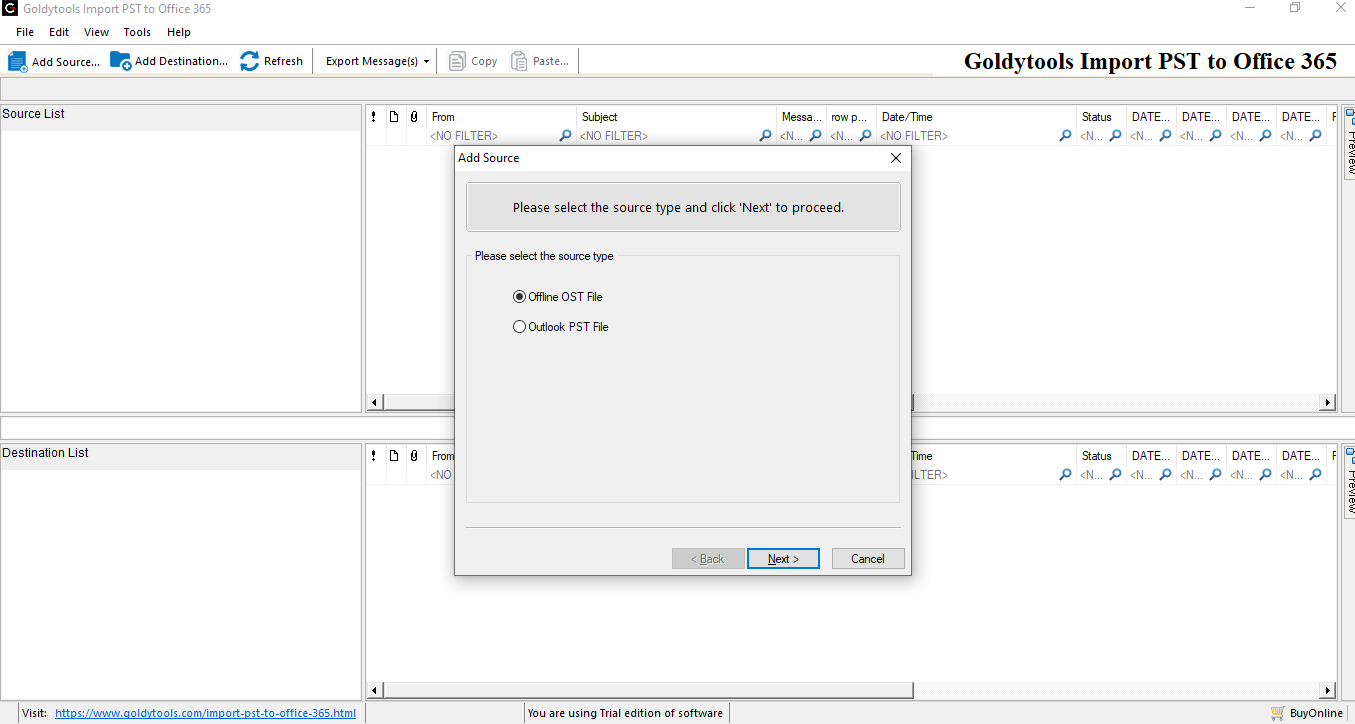
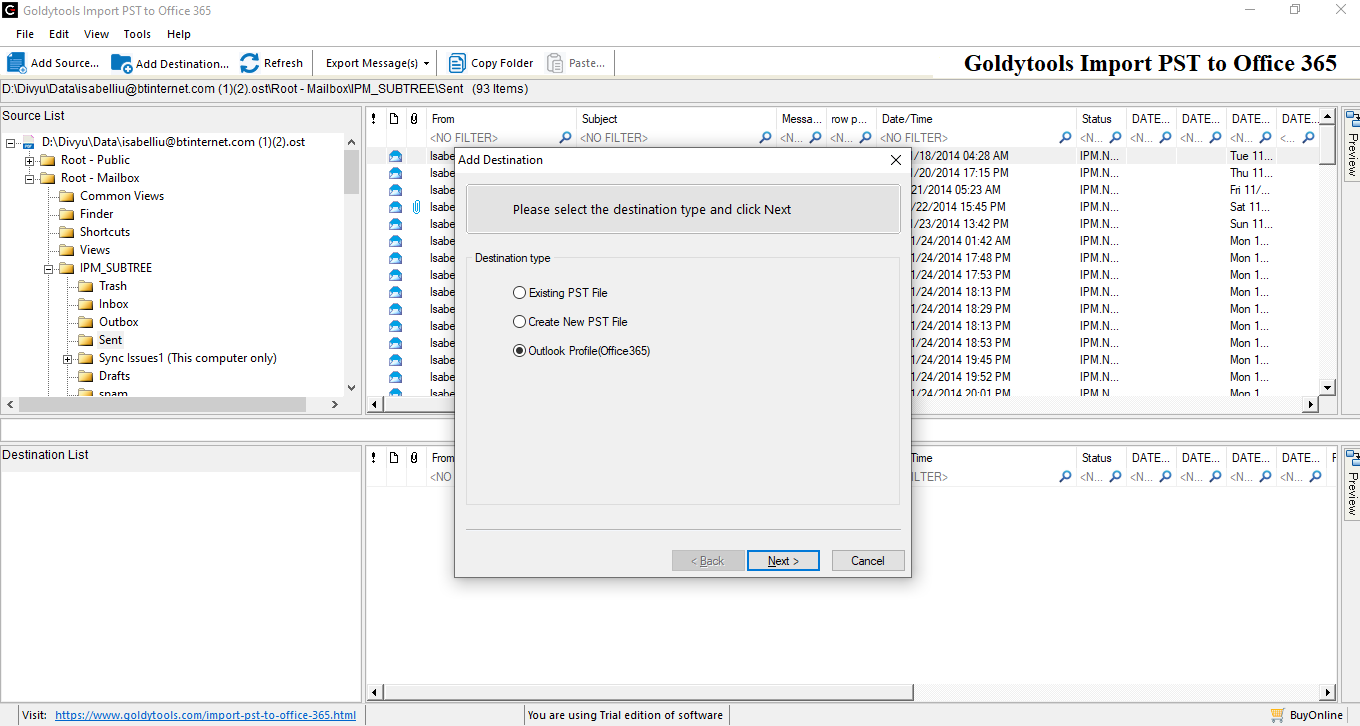
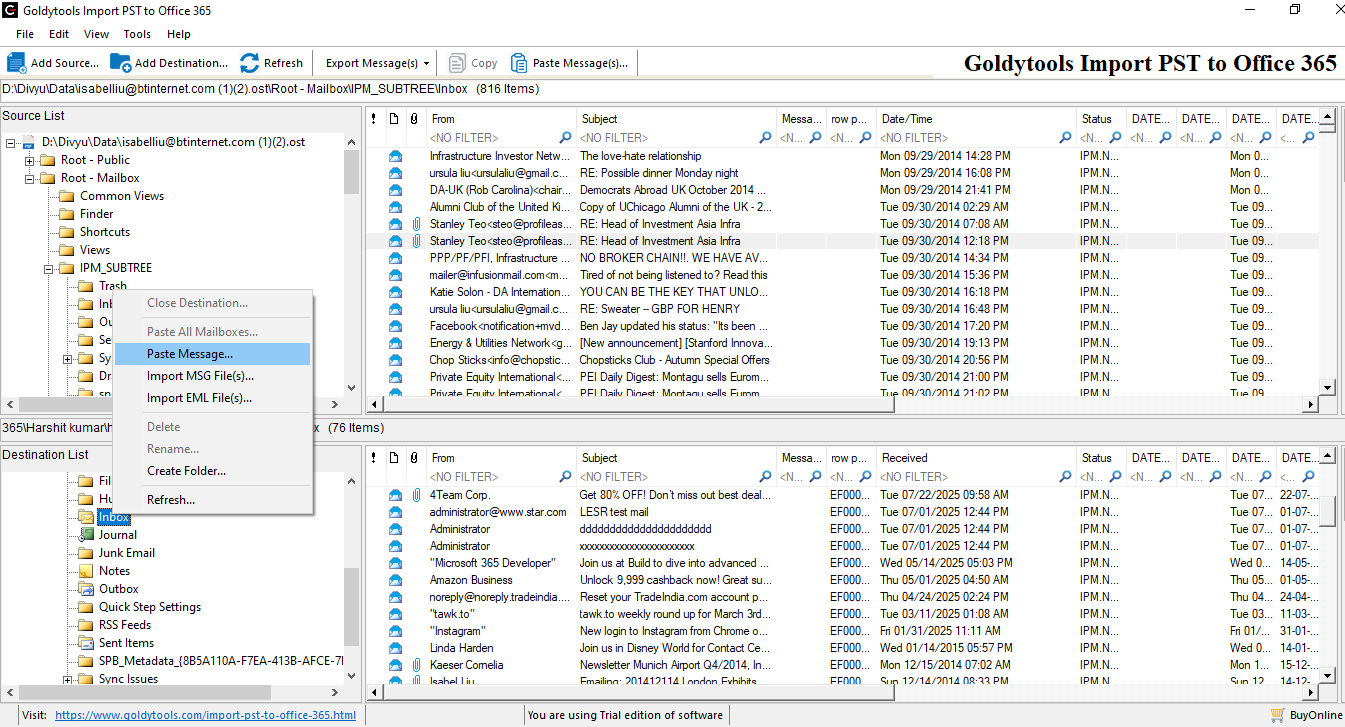
The tool selects PST/OST files from its location and migrates to Office 365 profile configured in MS Outlook. All the data file items like emails, attachments, calendar entries, notes, contacts, etc. are migrated effectively in their respective folders in the destination account. The entire process is completed in the least time and in a hassle-free manner.

Recovers corrupt OST and PST files
The tool can recover the corrupt OST and PST files proficiently and retrieve the corrupt and lost data back in the mailbox. After recovering the mailboxes, you can migrate them to Office 365 accounts.

Export large-sized PST files
The tool is capable of migrating the full-sized PST files without any change in its structure and restriction. You can select multiple PST files and migrate them to one or multiple Office 365 accounts. Each migration process will run independently of other processes.
Prevents duplicity in Office 365 accounts
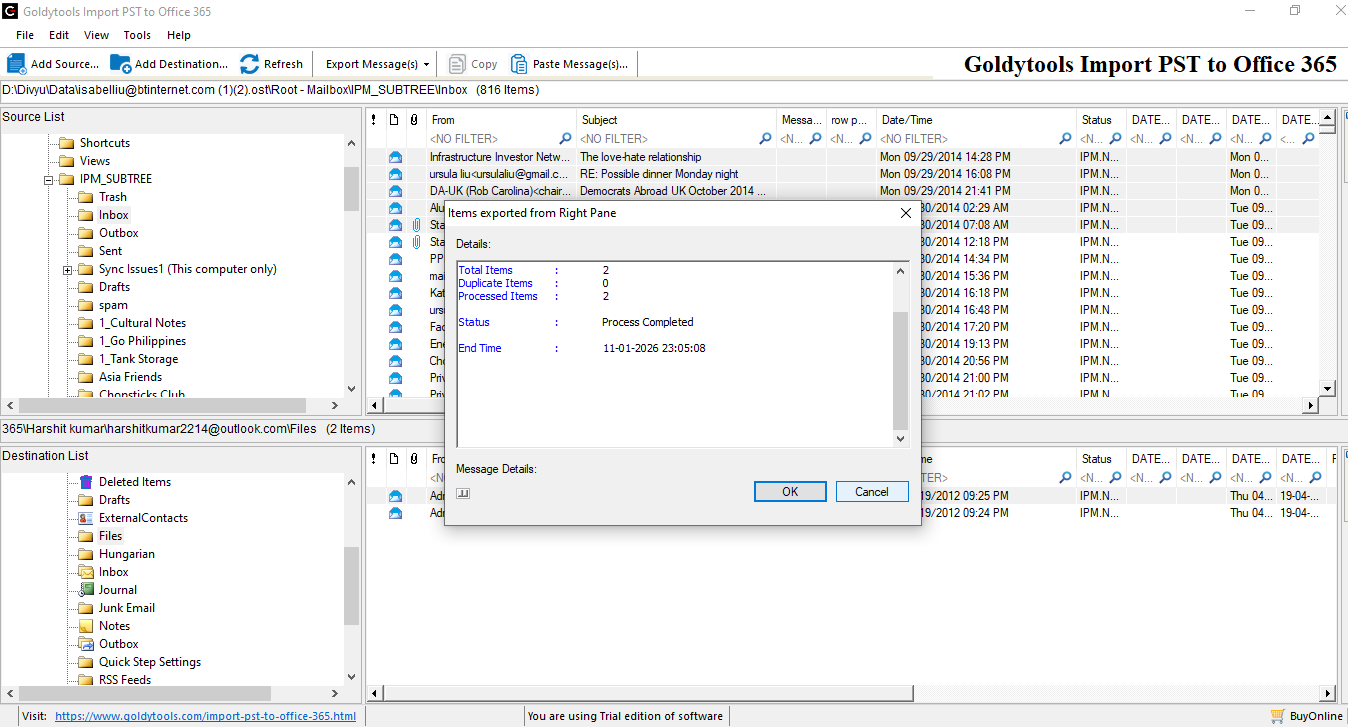
The Import PST to Office 365 tool scans and skips the duplicate items during migration, ensure no existing email, contact, or calendar entries are reached to destination Office 365. It creates a clean mailbox at the destination and saves storage space

Preview the items before migration
For a convenient migration, you can verify the selected file items of PST file by checking the content in preview mode. Once the recovery process is completed, you can check the recovered items in the preview mode also.

Free trial version
A free trial version of the Import PST to Office 365 software is available to download, and it lets you check the migration process and its effectiveness. The simplest GUI of the software facilitates a quick Goldytools Import PST to Office 365 to check its working, and it can migrate 20 items per folder for free.


Create a new Office 365 Profile in MS Outlook
Microsoft Outlook uses a profile to store an account’s settings, data file locations, and configuration settings.
Steps to create a new profile in Outlook
-
Open the Control Panel and choose Mail (Microsoft Outlook).
-
In Mail Setup, click Show Profiles.
-
Click Add.
-
Enter a profile name and click OK
-
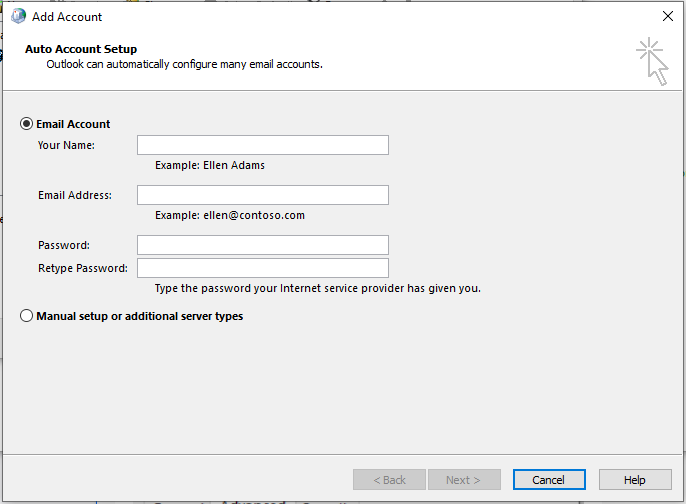
The Add Account prompt shows two methods to connect with the Office 365 account – using either Email Account or Manual Setup.
-
A. Using Email account:
Input username, email address, password, and retype password. Use the same credentials as your Office 365 account. -
B. Using Manual setup:
Input the email address of an Office 365 account, and Outlook will automatically connect with the account.
Important Note
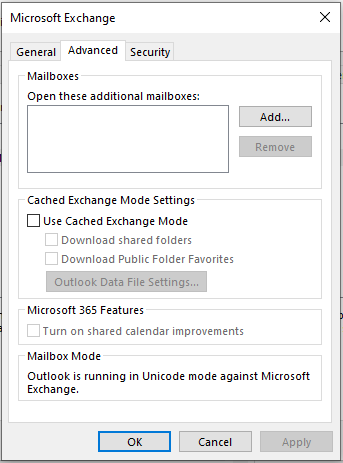
After creating an Office 365 profile, it is necessary to check whether the Cached Exchange Mode is enabled or not. To check it, follow the steps:
-
Open Mail (Microsoft Outlook) and go to the profile and click the Properties button.
-
Click Data Files.
-
Click Settings.
-
Go to the Advanced tab and check whether the Cached Exchange Mode Settings option is unchecked. If not, then uncheck it and click Apply to save the changes
Gooldytools Import PST to Office 365
You can choose the right tool for your needs by comparing the features of the Import PST to Office 365 Trial and Full Version.
| Software Features | Trial Version | Full Version | |
|---|---|---|---|
|
Migrate PST Files to Office 365 | ||
| Migrate OST Files to Office 365. | |||
| Preview every item after the recovery of the OST/PST file | |||
| No restrictions on the size of the file | |||
| Add Multiple OST Files | |||
| Display and Preview Recovered Item Data | |||
| 24*7 Tech Support & 100% Secure | |||
| Works with MS Outlook versions Office365,office 2019,2021,2025, | |||
| Price | Free | $21 | |
| Purchase Software | Free | Buy Now | |
| Download Free Version | Free Download | Free Download | |
Operating System (32 or 64 bit)
Windows 10/8.1/8/7/Vista/XP
Windows Server 2003/2008/2008 R2/2012/2012 R2/2016 (Any of them)
Hardware Requirement
Processor: Minimum 1 GHz Processor (2.4 GHz is recommended)
Memory: Minimum 512 MB of RAM (1 GB is recommended)
Disk Space - Minimum 100 MB of free hard disk space
Version Supports
MS Outlook (32 or 64 bit):Office365, Outlook 2019, 2021, 2025versions.(Any of them)
License Types
Business LicenseFor Small Organization(20 Systems)
Corporate LicenseFor Big Organization(100 Systems)
Technical LicenseFor Consultant/Organization in multiple location(Unlimited Systems)
Software Guides
User's Guide Installation / Uninstallation EULAFAQs Goldytools Import PST to Office 365
How to create a profile in MS Outlook?
In the Windows environment, you can create a profile for Office 365 account using the following steps:
Step 1: Open Control Panel and follow Mail (Microsoft Outlook) > Show Profiles > Add.
Step 2: Input the profile name and click OK.
Step 3: To connect with the Email Account option, input username, email address, password, and retype password.
Step 4: To connect with Manual setup, input the email address(In Option Microsoft 365), and Outlook will connect with the account automatically.
Step 5: Once the setup is complete, close the wizard.
Step 6: Restart MS Outlook, and the new profile is ready to use.
Can the software migrate both OST (Offline Storage Table) and PST (Personal Storage Table) files using the software?
Yes, the supports both types of Outlook data files for migration and migrates all kinds of mailbox file items.
Will the folder structure and its metadata remain preserved during and after the migration?
Of course. To guarantee smooth mailbox experience after conversion, the program keeps the original folder hierarchy, email information (To, From, Subject, Date), attachments, and even read/unread status.
How to migrate the selected items from a PST/OST file?
You may opt to migrate only particular data using built-in filters (such as date range, folder selection, sender, etc.), which cuts down on migration time and prevents needless data transfer.
Is it possible to migrate the shared or archive mailboxes?
Yes, the program allows you to migrate PST files created from the primary, shared, and archive mailboxes, providing you with complete freedom based on your organizational requirements.